2025-2026 Nebraska 4-H Volunteer Enrollment and Screening Instructions
New or Returning Volunteers
v2.4honline.com
Step One: Create a family profile or log into existing account.
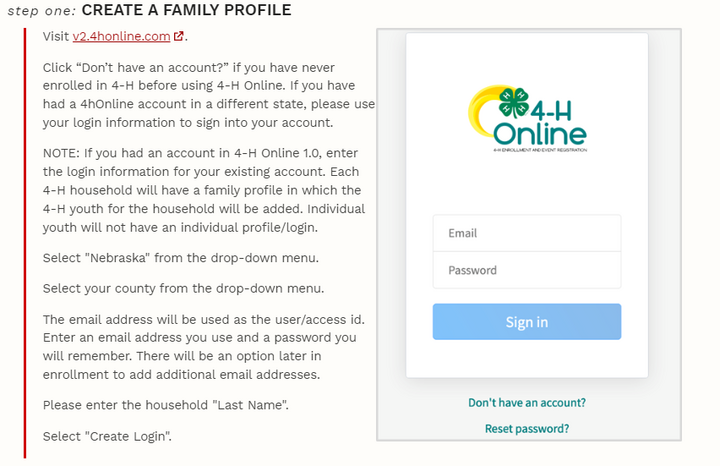
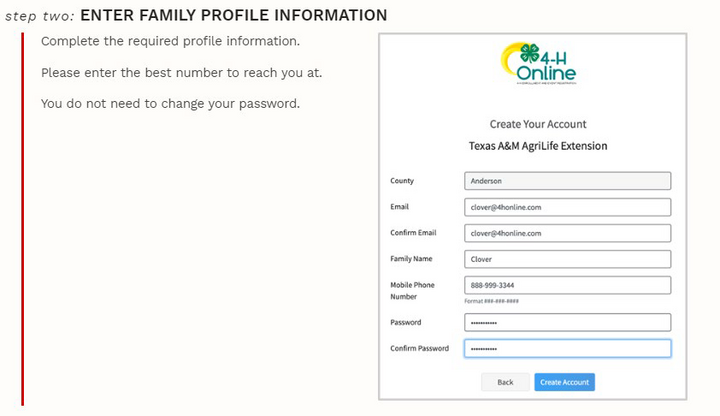
Step Two: For new volunteers, please enter family profile information.
*If you are a returning volunteer, skip ahead to step 4.
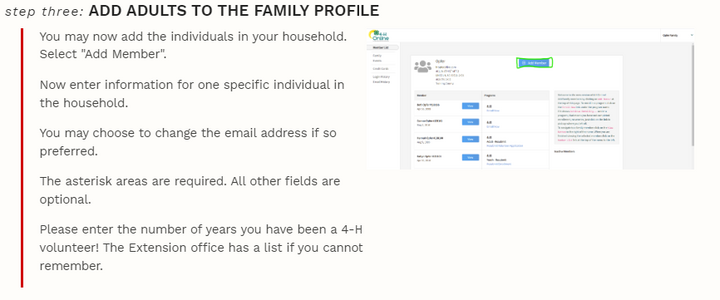
Step Three: For new volunteers, please add an adult to the family profile.
*If you are a returning volunteer, skip ahead to step 4.
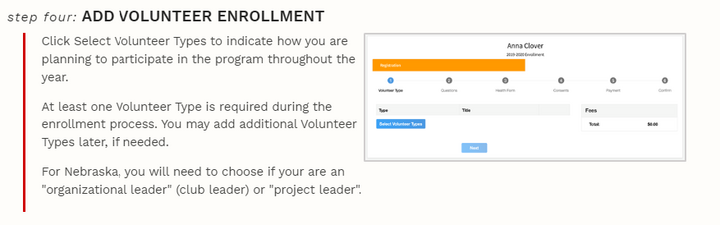
Volunteers are able to select from three different volunteer types. Volunteers will need to select more than one to be able to
select a club and project.
• Club Volunteer Type: Two Roles:
- Organizational Leader Role: Will be able to select a club but will not be able to select projects. This Role is
intended for the primary Club Leaders. A club may have multiple Volunteers listed in this role. - Club Leader Role: Will be able to select a club but will not be able to select projects.
• Program Volunteer Type: County Volunteer Role: Volunteer associated with the County only. Will not be associated
with a club or a specific project area.
• Project Volunteer Type: Project Leader Role: Will be able to select project area, but will not be able to select a club.
Step Four: Click on Enroll Now next to your name to begin.
Step Five: Add a club and projects.
- Volunteers should add projects that start with "Volunteer: Project Name." These are found closer to the bottom of the project list.
- Shooting Sports Leaders MUST select their discipline from the Volunteer Project Listing in order to sign the required shooting sports consent form.
- Horse Project Leaders MUST select "Volunteer: Horse Leader" from the Volunteer Project Listing in order to sign the required horse project consent form.
For questions regarding project selection during enrollment, contact your local county office.
Step Six: Sign consent and code of conduct.
Step Seven: Confirm enrollment.
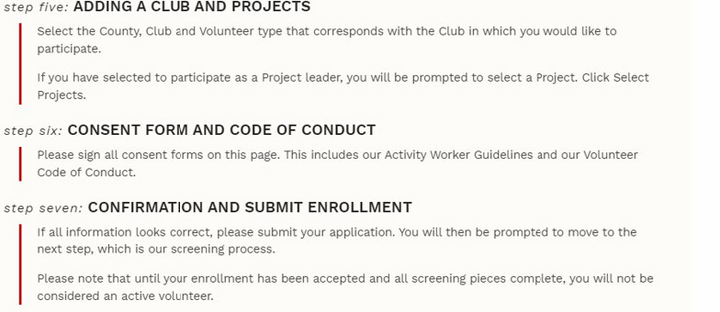
Step Eight: Click on Enroll Now next to your name to begin.
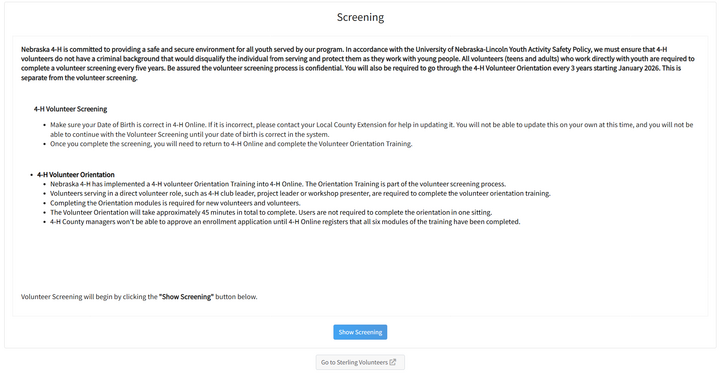
Volunteers are routed to the Sterling Volunteer Website.
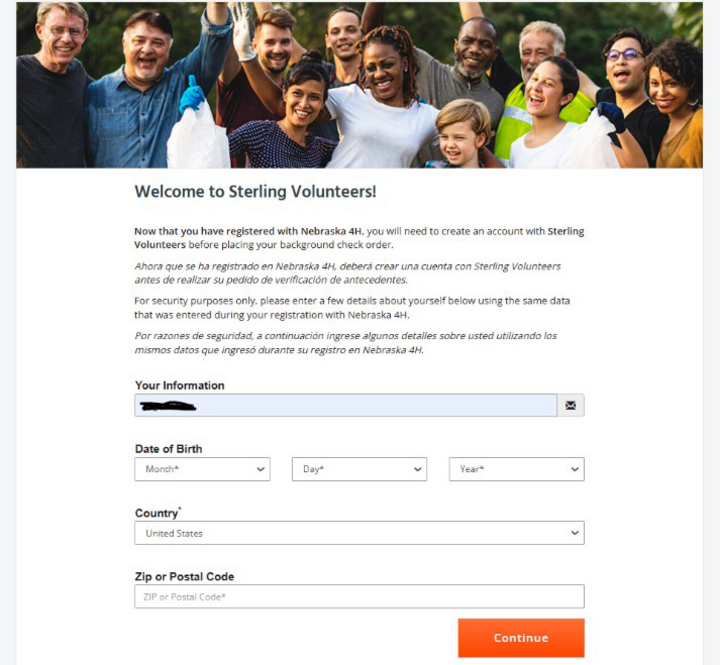
Please add your email, date of birth, country, zip or postal code. Click on the orange "Continue" button.
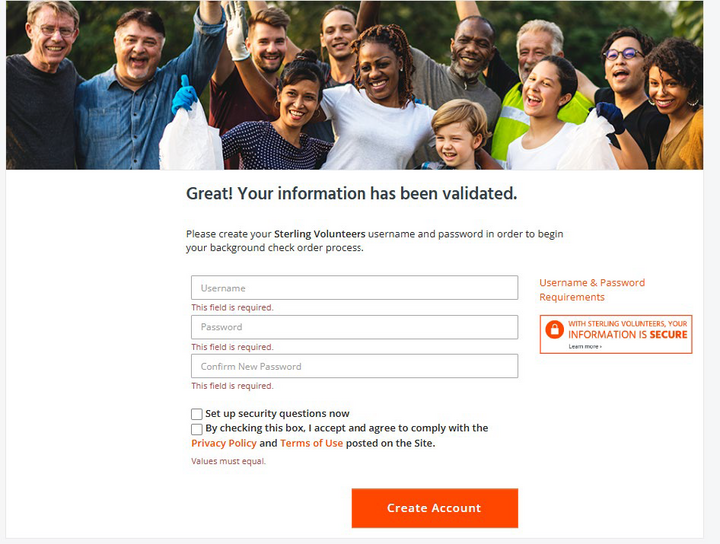
Once the Volunteer information is validated, the next step is to create a username and password. You will also be requested to complete a few security questions. Click the orange Create Account button.
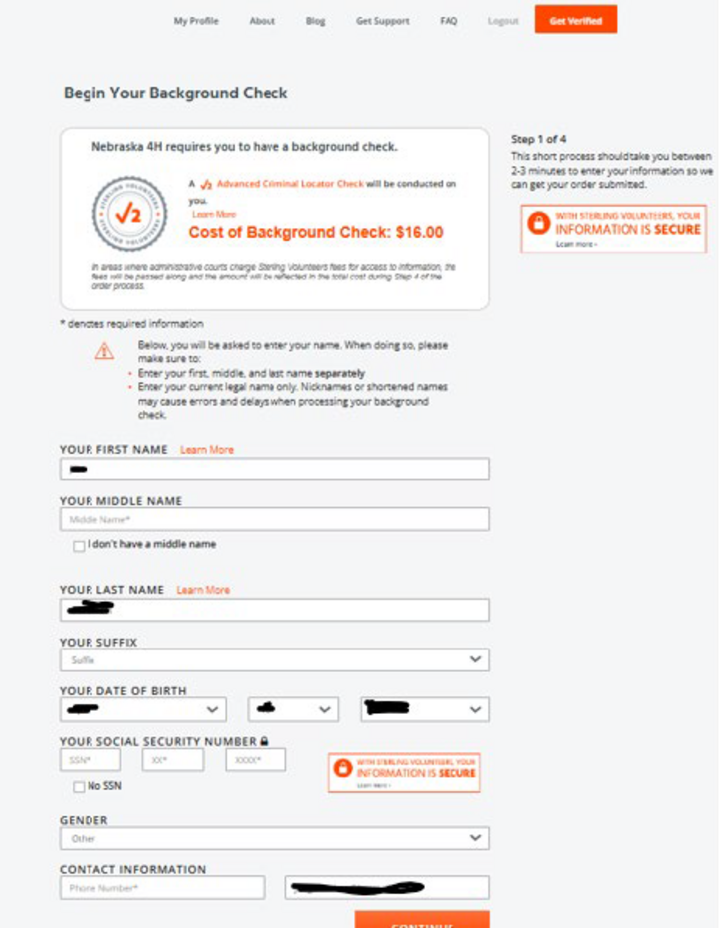
Step 1 of 4: Enter full name, date of birth, SSN, gender and contact information. Click the orange Continue button.
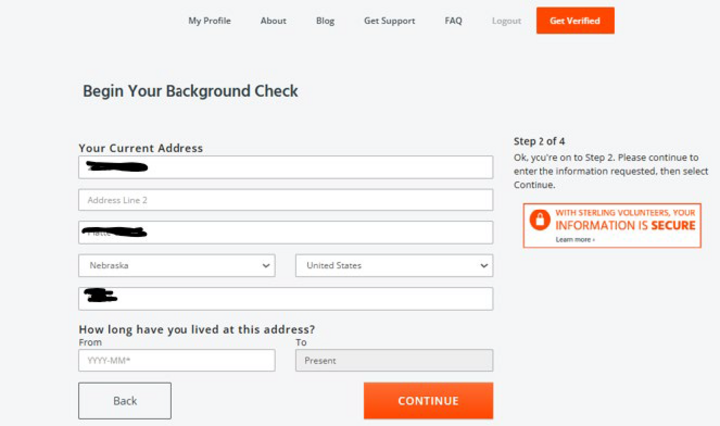
Step 2 of 4: Enter current address and how long you have resided at this address. Click the orange Continue button.
Step 3 of 4: Acknowledge and consent when prompted. Click the orange Continue button.

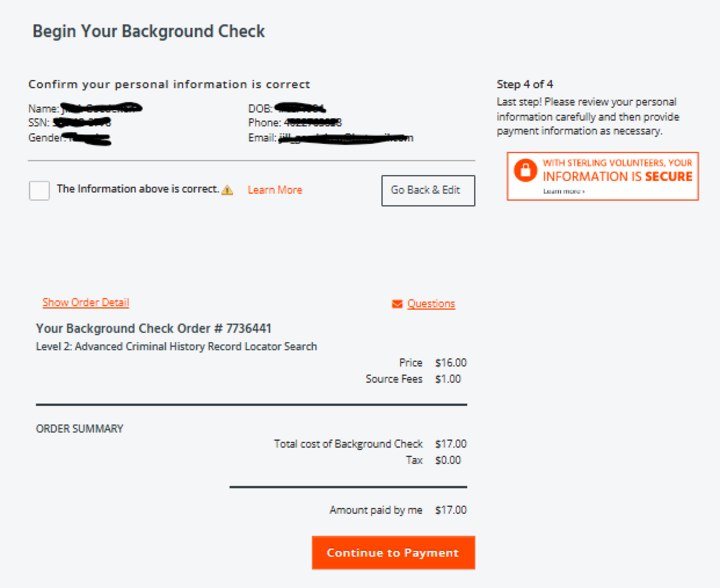
Step 4 of 4: Last step! View personal information. Click the orange Continue to Payment button.
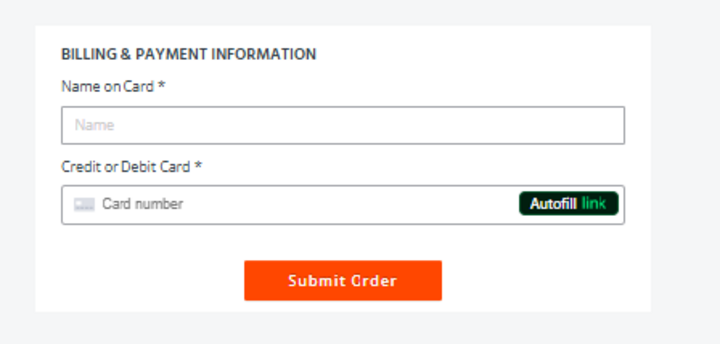
Finalize the screening with entering a payment method. Click on the Submit Order button.
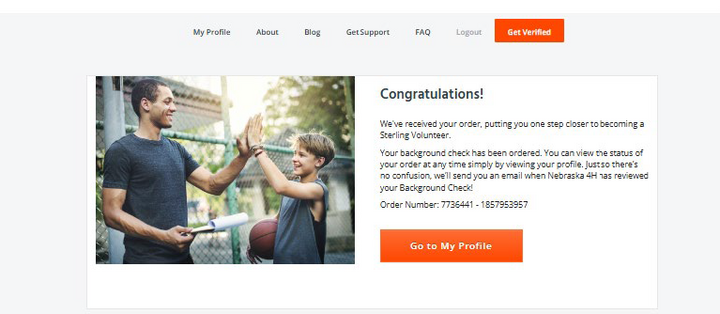
After successfully completing the screening, volunteers will see this page.
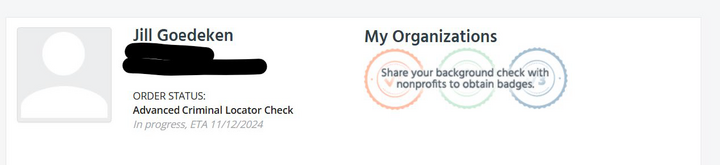
Volunteers can view their screening status and share background check with other organizations by logging into their account at the Sterling Volunteer website.
Don't forget! All volunteers must complete the Nebraska 4-H Volunteer Orientation in order to complete the enrollment and screening steps.
Volunteer Orientation
Once you have completed the screening process, you will need to return to 4-H Online to complete the Volunteer Orientation Training. Next to your name you will see a “Continue Trainings” link. Click it.

Then you will need to select the Orientation Training:
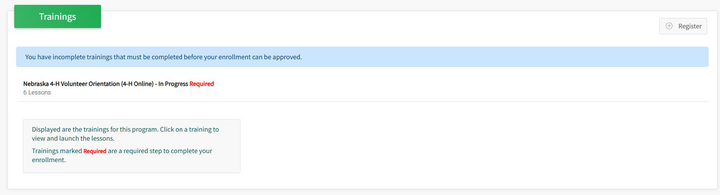
From there you will be able to access the six modules. The modules will open up into a new window. The window may take a few seconds to fully load. Each module will include a video and then questions to answer once you have completed the video.
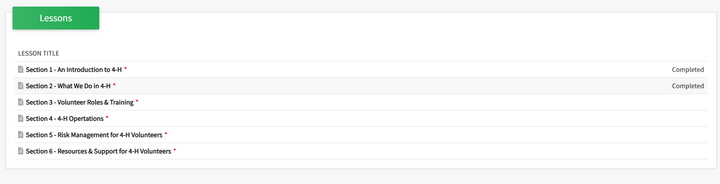
Once you are completed with all six modules, your county manager will be able to approve your enrollment.